RP2040-powered 3D printer filament scale
The Raspberry Pi community is big on 3D printing, so in celebration of the first #MakerMonday of the new year, we thought we’d share this RP2040-powered scale that tells you whether or not you have enough filament for a 3D print.
If you’re going to use a 3D printer, you need to be sure that you have enough filament for the job. “Knowing if there is sufficient filament will tell you if you need a standby reel, a new reel, or whether the current reel will do the job,” says maker Chris Forde. One way to determine this is to weigh the filament remaining on the spool and compare it to the weight estimate provided by your slicing software. With this in mind, Chris came up with a solution.
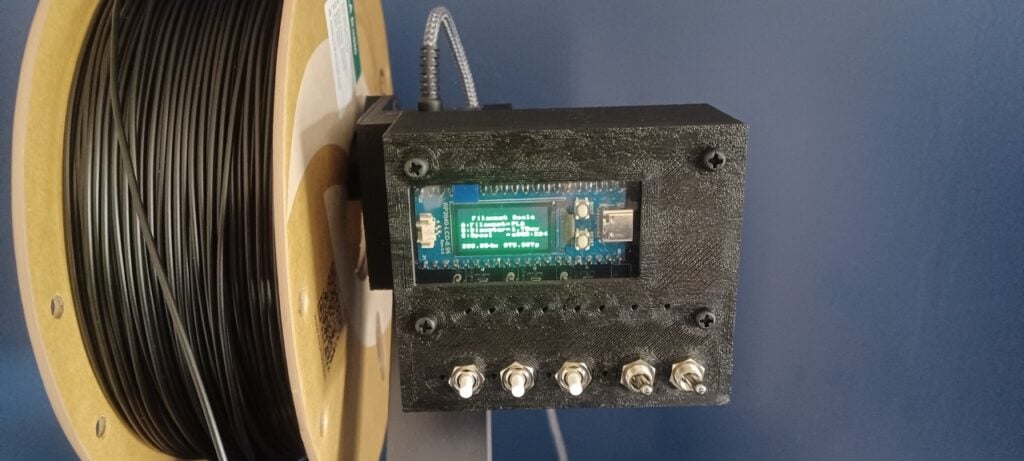
“Normally, when weighing filament, people use a separate scale and a calculator, but I thought it would be more convenient to integrate a filament scale into the printer,” he said. The idea was to replace the printer’s existing spool holder with one that contains a beam load cell. A beam load cell is a cantilever that measures applied force and converts it into an electrical signal, which can then be interpreted as weight.
“I identified a beam load cell with a maximum capacity of 5kg, although the filament reels to be used are 1kg, allowing a degree of overload protection,” Chris says. “My chosen load cell also came with a signal-conditioning amplifier which can be interfaced to a microcontroller.” This enabled him to combine the specialised transducer with an RP2040 microcontroller board, choosing one with an integrated LCD. “It allowed me to reduce the footprint, cost, and build time,” he adds.
Scaling up
With the beam load cell identified, Chris designed a 3D-printed spool holder for an Elegoo Neptune 4 Pro 3D printer. “The spool holder and the case were designed using BlocksCAD, with the screw thread designed using Tinkercad,” he said. Once all the elements were printed, he was able to assemble the scale arm, which also incorporated an HX711 ADC load cell conditioning amplifier designed for weighing scales.
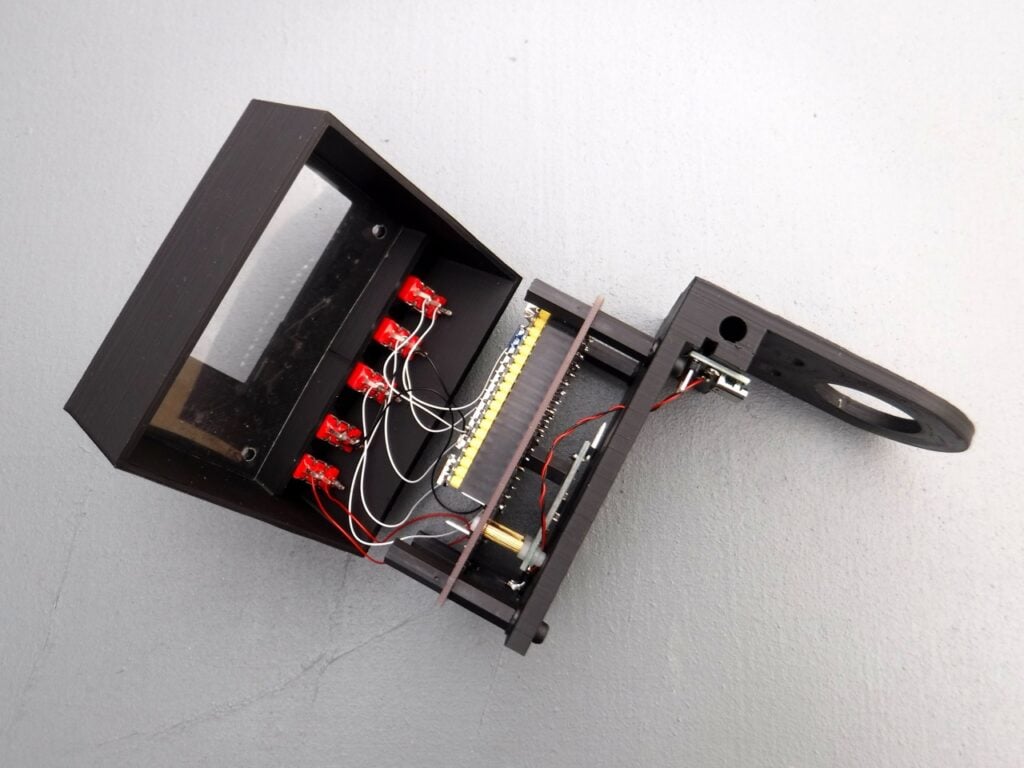
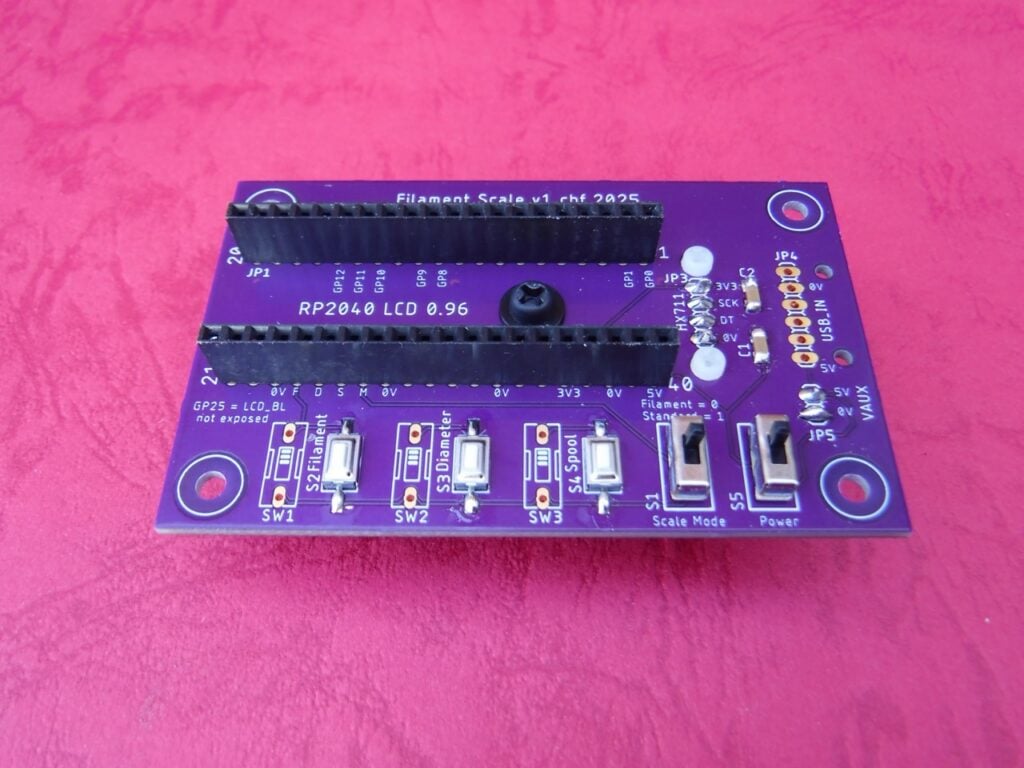
Chris also custom-made a PCB onto which he could mount an RP2040 microcontroller board. “I opted for a PCB designed using EAGLE to mount the components, improving repeatability and reproducibility, and creating a robust project,” he explains.
With the main unit assembled, he turned his attention to the software, which he wrote in MicroPython v1.15 using the Thonny IDE.
Weighty issues
To work, the software needs a bunch of information. First, it requires the calibration value. “Calibration is important to ensure the scale displays the correct weight, and this is accomplished using a known weight,” Chris explains. The software also needs the baseline weight, as well as information about the filament material: its density (g/cm3), diameter (mm), and the weight of the empty reel (g).
“A small list of this information is held internally and within text files, either of which may be edited to extend or amend the lists,” Chris says. “The user needs to select the correct details … and, with all this information, weight and filament length can be calculated.”
The LCD instructs the user to perform any necessary tasks, such as removing the spool to capture the unladen weight. It also displays the required result, including the length in metres and weight in grams. Given the low cost of the parts, it’s already proven to be an efficient money- and waste-saving device. With full instructions and printable files on Hackster.io, it’s a project that many makers are sure to find useful.
This article is from Raspberry Pi Official Magazine #161
You can grab this issue from Tesco, Sainsbury’s, Asda, WHSmith, and other newsagents, including the Raspberry Pi Store in Cambridge. It’s also available from our online store, which ships around the world. And you can get a digital version via our app on Android or iOS.
You can also subscribe to the print version of our magazine. Not only do we deliver worldwide, but people who sign up to the six- or twelve-month print subscription get a FREE Raspberry Pi Pico 2 W!
The post RP2040-powered 3D printer filament scale appeared first on Raspberry Pi.
from News - Raspberry Pi https://ift.tt/kSKAbeq
Labels: News - Raspberry Pi, IFTTT

0 Comments:
Post a Comment
Subscribe to Post Comments [Atom]
<< Home